📣
Just Launched: Live 1-on-1 AI courses for Grades 3–10 — kids learn how AI works, never to lean on it


 Login
Scratch • Ages 6–14
Game Development for Kids — Build, Play, and Learn with Scratch!
A fun-filled coding journey where your child learns to design games, animate characters, and bring ideas to life—one block at a time!
1:1 Live Classes
Level: Beginner & Advanced
Platform: MIT Scratch
I'm mastering game dev with beGalileo!

Scratch • Ages 6–14
Game Development for Kids — Build, Play, and Learn with Scratch!
A fun-filled coding journey where your child learns to design games, animate characters, and bring ideas to life—one block at a time!
1:1 Live Classes
Level: Beginner & Advanced
Platform: MIT Scratch


Format
1:1 Live Classes

Platform
Scratch Platform

Levels
Beginner & Advanced (Personalized)

Levels
6–14 years
Course Summary
Designed for kids aged 6 to 14, our Game Development course using Scratch introduces children to the world of coding through creativity and play. With Beginner and Advanced levels, this course empowers children to become creators of interactive stories, animations, and games.
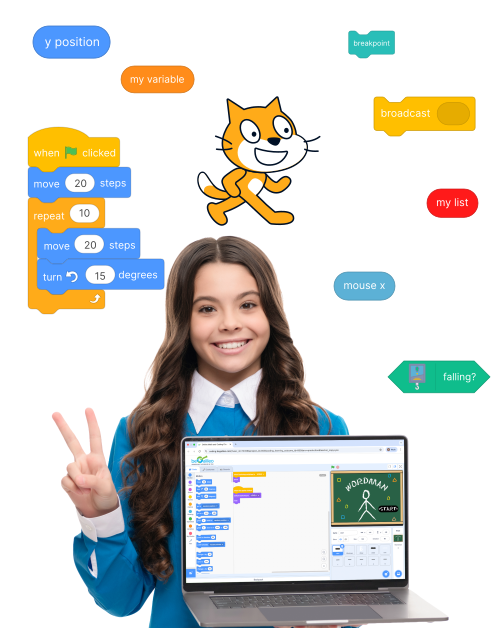
Children learn block-based coding using MIT Scratch and develop computational thinking, storytelling skills, and game design logic—all in a 1-on-1 personalized format.
Children learn block-based coding using MIT Scratch and develop computational thinking, storytelling skills, and game design logic—all in a 1-on-1 personalized format.

What Will Your Child Learn?

Beginner Level – Scratch Basics & Game Fundamentals
Get hands-on with the Scratch interface and start building simple animations and mini‑games.

Understanding the Scratch environment
Motion, looks, and sound blocks
Sequencing and event-based programming
Using loops and conditionals
Building interactive stories
Designing simple games like:
Flappy Birds
Lucky Spin
Pong Game
Jungle Safari
 Download Beginner Curriculum Download Beginner Curriculum

Advanced Level – Game Logic, Creativity & Innovation
Move on to advanced logic and design skills to build richer, multi‑level games.
Variables, cloning, and broadcast messages
Timer-based games and scoring logic
Character animation and visual storytelling
Creating multi-level games
Collision detection and sprite control
Designing simple games like:
Space Shooter
Tic‑Tac‑Toe
Minesweeper
Pictionary
Download Advanced Curriculum Download Advanced CurriculumHow Will This Course Benefit Your Child?
Discover the lifelong skills kids gain while having fun with coding—benefits that go beyond games to boost creativity, logic, and confidence.
Skills Your Child Will Gain

Introduces coding in a fun way
Boosts digital literacy
Enhances creativity and storytelling
Builds problem-solving and logical thinking
Boosts digital literacy
Encourages resilience through debugging
Lays the foundation for real-world programming

Kids Who Code, Create, and Amaze
Showcase Projects
Throughout the course, your child will create and customize games using Scratch—from simple animations to multi-level interactive experiences. These aren’t just practice exercises—they're real, playable games made by kids just like yours!
Here’s a glimpse of the exciting projects our students have built.


The logic behind our approach
Our Teaching Approach
With a balance of care, structure, and creativity, our approach ensures children learn step by step, build through hands-on projects, and grow with confidence—supported by continuous feedback to parents.
The logic behind our approach
Our Teaching Approach
With a balance of care, structure, and creativity, our approach ensures children learn step by step, build through hands-on projects, and grow with confidence—supported by continuous feedback to parents.

Personal Attention
1:1 live sessions to focus on your child.

Step-by-step
Concepts progress from basics to advanced.

Build to Learn
Learn by building real projects, not watching.

Parent Updates
Regular feedback and progress reports.
Personal Attention
1:1 live sessions to focus on your child.
Step-by-step
Concepts progress from basics to advanced.
Build to Learn
Learn by building real projects, not watching.
Parent Updates
Regular feedback and progress reports.

Ready to get started?
Book a free trial or download the curriculum.
Ready to get started?
Book a free trial or download the curriculum.
Frequently Asked Questions
What is Scratch, and why is it good for kids?
What age group is the game development course suitable for?
Do kids need any prior coding experience to join this course?
Are these game development classes taught 1-on-1?
What will my child be able to do after this course?
How can parents stay involved in the course?
What tools or software does my child need?
Will this course help if my child wants to learn real programming later?
Are there any certificates awarded at the end of the course?
Is coding good for kids?
How does block-based coding help in learning real programming languages like Python later?
